Model ontologies.
Explore knowledge graphs.

New to ontologies and knowledge graphs? Explorer mode lets you navigate your data visually — with an AI assistant to explain concepts and guide you as you go. Already an expert? Switch to a full modelling environment with Turtle editing, SPARQL, validation, and AI assistance.

Launch the app — it's free

Free to use · No account required · Desktop app coming soon

Ontology Studio
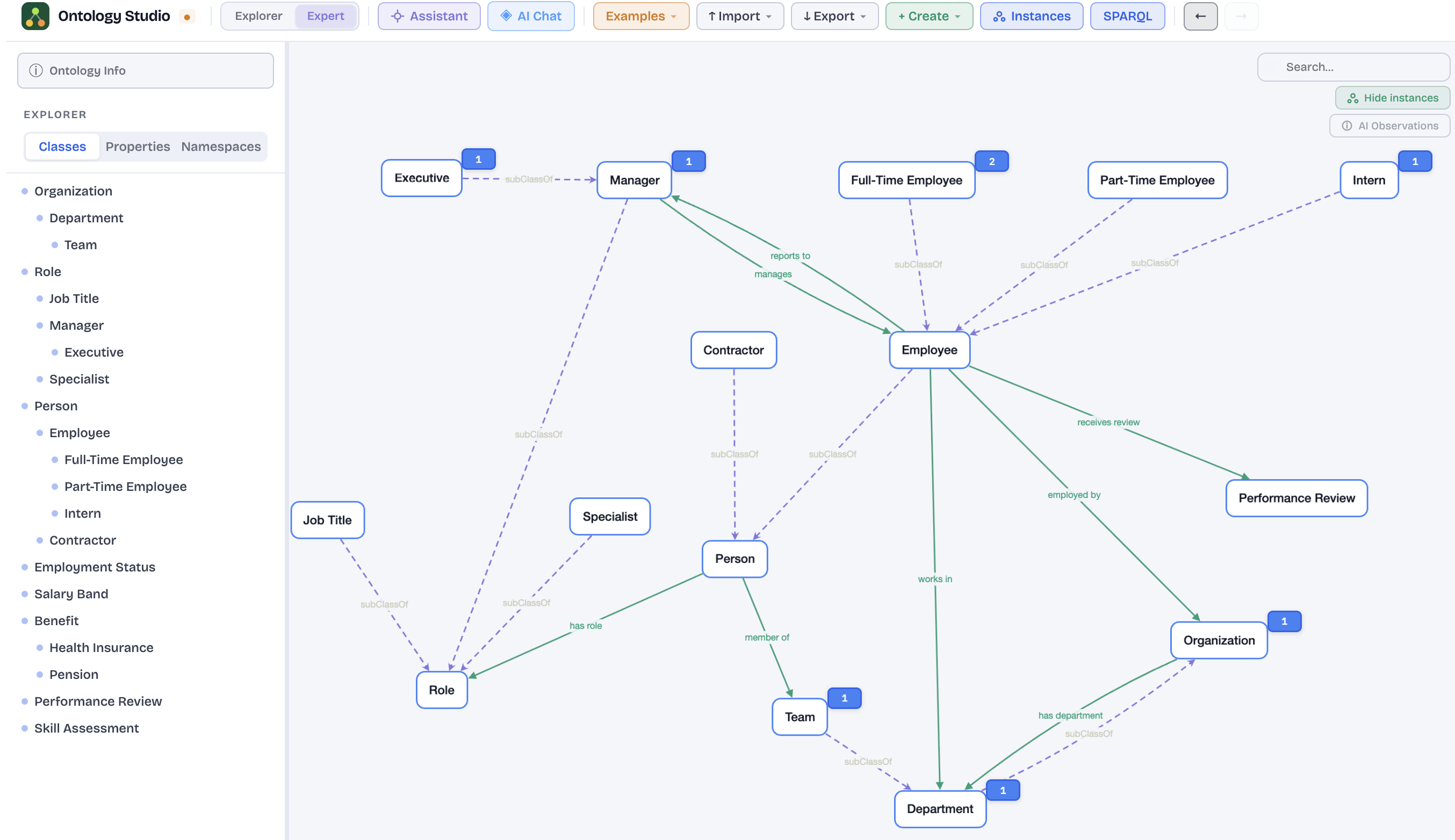
Ontology Studio — visual graph editor showing an HR ontology with classes, subclass hierarchies, and properties

Everything you need to work with ontologies and knowledge graphs

From a blank canvas to a fully connected knowledge graph — in your browser or on the desktop, no setup required.

🕸️

Explorer & Expert modes

Two modes, one app. Explorer mode gives a clean, visual experience with no code in sight — ideal if you're new to ontologies. Switch to Expert mode for the full editor, querying, and advanced tools. Your data stays the same either way.

📝

Built-in code editor

For those who prefer to work directly in code, a full-featured editor with syntax highlighting and auto-complete keeps you productive. The graph stays in sync as you type — no manual refresh needed.

🔍

Powerful querying

Ask precise questions of your ontology and get instant results — find all instances of a concept, trace relationships, or verify your model is structured the way you think it is.

◈

AI assistant

An intelligent assistant that understands your ontology and can answer questions, suggest improvements, and help you model concepts. Right-click any concept to get instant AI suggestions for related classes — all in plain English, no expertise required. Works with your existing Anthropic, OpenAI, or Gemini API key.

📊

Spreadsheet import

Drop in a CSV or Excel file and the AI maps your columns to classes and properties automatically. The fastest way to bootstrap an ontology from existing data.

🔄

Import & export

Import from Turtle, RDF/XML, JSON-LD, CSV, or Excel. Export to Turtle, JSON-LD, and RDF/XML. Your ontology is always portable — no lock-in.
Built for anyone working with knowledge

Whether you're a seasoned ontologist or someone who's just curious about what's hiding in their data, Ontology Studio meets you where you are.

Curious explorers

You have data and a feeling there's more to it than a spreadsheet shows. Explorer mode keeps things visual and approachable — no code, no jargon. Map what things are, how they relate, and what patterns emerge.

Knowledge engineers

A proper editor with a live graph, built-in querying, and a full code editor — without the overhead of enterprise tooling.

Data architects

Model your domain visually, import from spreadsheets, and export standards-compliant formats for downstream systems.

Researchers

Build and share ontologies and knowledge graphs for your domain without needing a developer. The AI assistant explains concepts as you go.

Free on the web. Desktop coming soon.

The web app is free to use with no account required. A native desktop app with offline support and local file management is on the way — as a paid subscription.

Desktop Studio

Subscription

Native app for Mac & Windows. Offline access and local file management.

  • ✓ All web app features
  • ✓ Works fully offline
  • ✓ Local file management
  • ✓ Native Mac & Windows experience
Coming soon

Love the web app? You'll know what's coming.